Collaboration Hub
What This Page Is For
Use the Collaboration Hub when you want to:
- organize your trusted collaborators
- create groups for group chats or to simplify recurring collaborative projects with the same members
- review open group/project invites or applications
- chat privately or in groups / projects
- keep track of active collaborative projects
Workspace Tabs
Overview
Overview shows active collaboration projects and pending invites.
Messages
Messages contains the communication side of collaboration.
It supports:
- private chats
- group chats
- project chats
Groups
Groups lets you create and manage collaboration groups.
This is useful if you work with the same people repeatedly and do not want to rebuild invite lists for every new project.
Groups can be joined by invite link or direct invite.
Network
Network shows trusted collaborators and other people you have already worked with.
This gives you a practical overview of your collaboration relationships.
Collaboration Projects
A collaboration project is attached to a community target.
Roles And Access
Depending on the project state, users can appear as:
OwnerAccepted partnerPending applicantInvited user
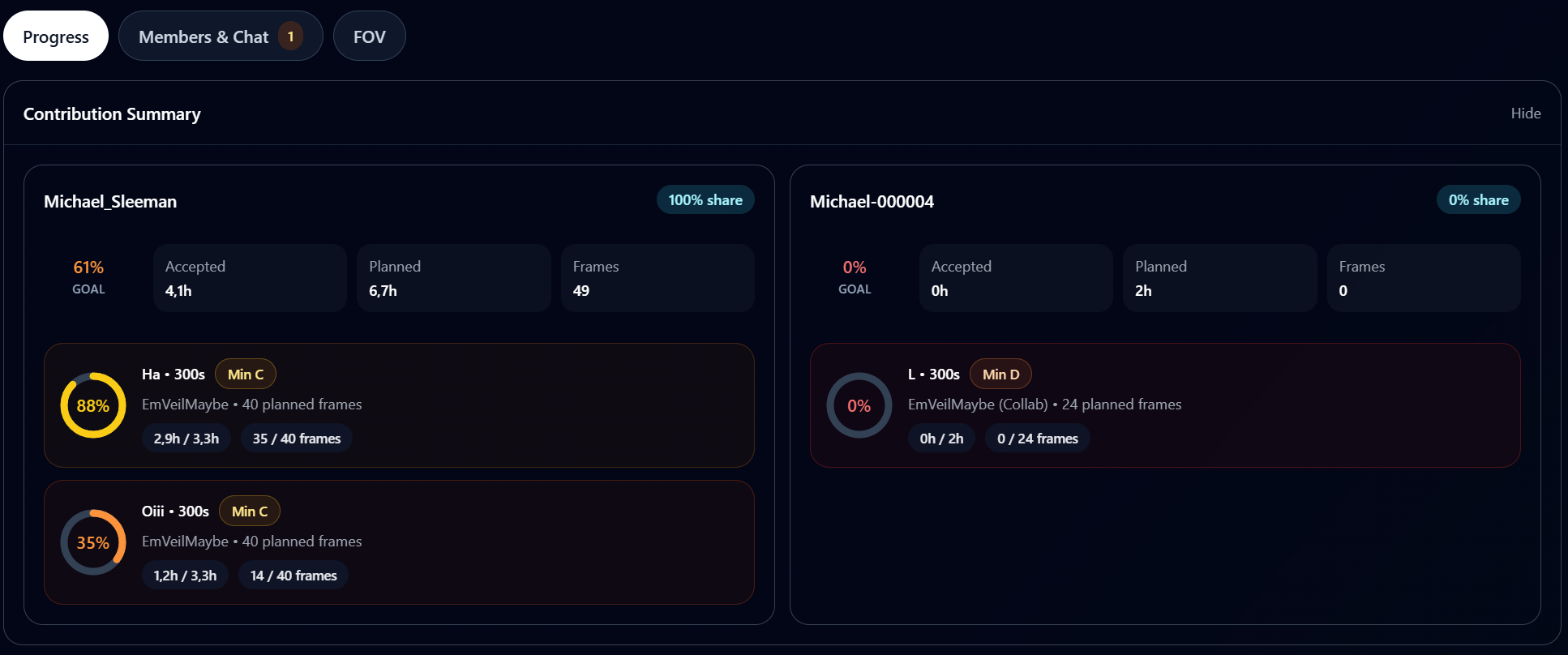
Contributions And Shared Data
Accepted collaborators can contribute more than chat messages.
Depending on the project and target setup, AstroManager can combine:
- captures and shared capture previews
- target progress
- framing context
- rig and observatory data
- collaboration reviews after working together
This helps teams compare results and continue the same project without losing context between sessions or users.
How It Connects To Community Targets
The usual flow is:
- publish a community target
- create or open a collaboration project for that target
- invite users or allow applications
- manage access, messaging, and shared progress in the Collaboration Hub
Good To Know
- Public usernames are important because many invite flows use them directly. See Profile Management.
- Public browsing and discussion live primarily in Community Targets.