Observatories
Why This Page Matters
Observatory settings affect:
- target visibility
- altitude and observability calculations
- moon avoidance
- horizon restrictions
- which equipment is available at a given site
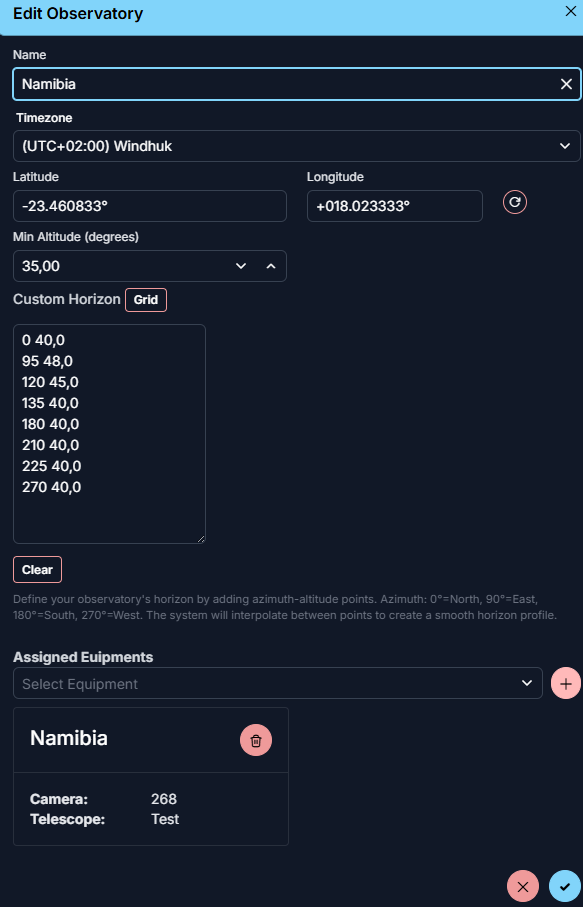
Minimum Altitude
Minimum Altitude defines the lowest altitude at which AstroManager should still consider a target usable from that observatory.
Use this setting if you dont know the Custom Horizon of your observatory. But defining the Custom Horizon is preffered to avoid scheduling targets that are not truly visible.
Custom Horizon
Custom Horizon lets you describe the real blocked horizon of the observatory instead of assuming a perfect flat one.
A custom horizon makes observability calculations far more realistic, because AstroManager can then account for where the sky is blocked even if the target would otherwise be above the general minimum altitude.
Sky Brightness And Bortle
You can also store sky-quality information directly on the observatory.
Bortle Scalecan be set manually in the observatory settingsSky Brightness (mag/arcsec2)can be used if you prefer a measured value instead
This is useful for planning, for comparing observatories, and for community workflows where the observing-site quality should be visible more clearly.
Equipment Assignment
It is also important to assign the equipment that is actually used at that observatory. This is required for the Client Configuration.