Night Preview
Night Preview shows AstroManager's current plan for the selected night.
It is the most important tool for understanding what AstroManager is actually going to do before the night starts.
You can use it to answer questions like:
- which targets AstroManager would choose tonight
- when target changes would happen
- how much of the night is filled with imaging
- to quickly fill imaging gaps
- why some target X was not scheduled at all
Before an important night, it is worth checking Night Preview for the selected client and date.
Where You Find It
Night Preview is included directly in the Remote Control Dashboard:
- in
Classic Viewas its own card - in
Modern Viewunder theTargetstab
What Night Preview Uses
The preview is always calculated for the currently selected client.
That means it uses the context of:
- the assigned observatory
- the assigned equipment
- the active targets of that client
- the scheduler configuration that is currently selected for the preview
UI
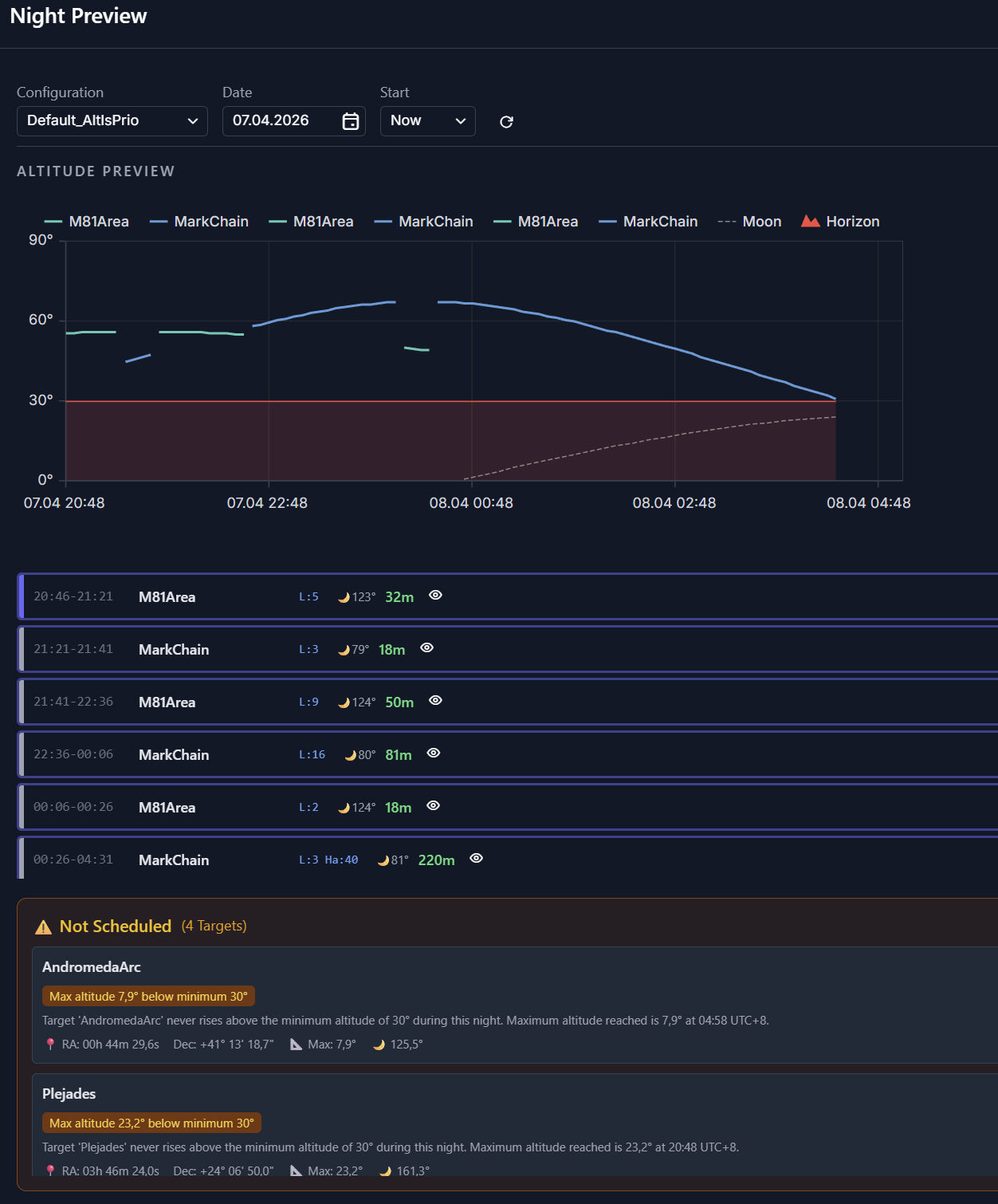
At the top of the card, AstroManager shows the most important controls and summary values.
Controls
At the top you can change:
ConfigurationDateStartRefresh Preview
This is useful if you want to compare how a different scheduler configuration or a different start time changes the same night.
Summary Row
Night Preview also shows a quick summary of the simulated night:
Night StartMoonNight EndImagingEmpty
This gives you an immediate feeling for how productive the planned night is before you inspect the details below.
Altitude Preview
The large chart in the middle is the visual heart of Night Preview.
It shows:
- the altitude curves of the scheduled targets
- the moon line
- the observatory horizon
- the current time line, when relevant
Planned Sessions
Below the chart, Night Preview shows the planned sessions of the night.
Empty Time And Gaps
The Empty value and the unscheduled parts of the preview are especially important.
They show when AstroManager could not find a useful target for the selected client.
Typical reasons are:
- no active target is valid
- the remaining slot is too short
- moon avoidance blocks the relevant filters
- altitude or custom horizon rules block the target
- scheduler settings are too restrictive